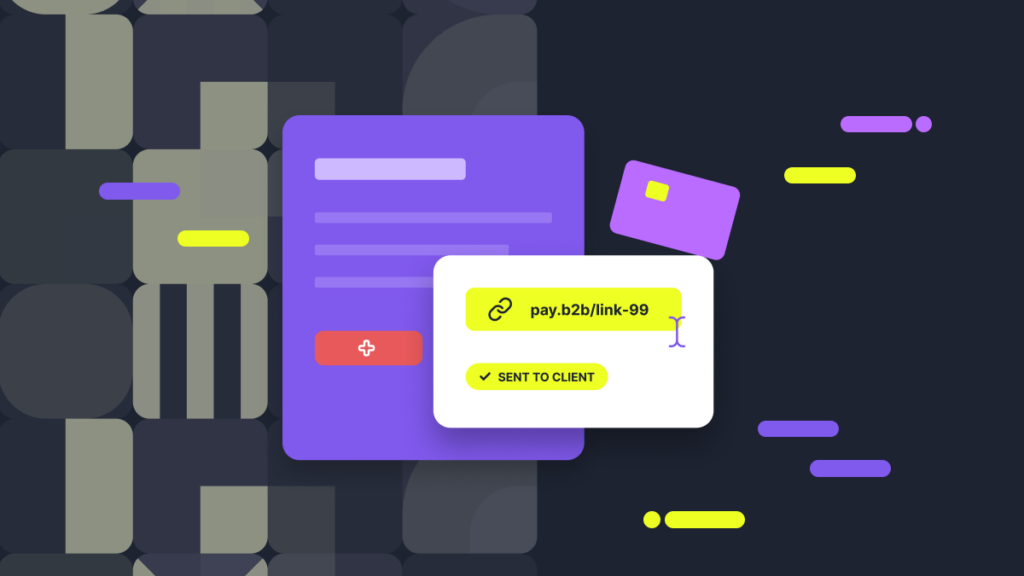
Once a deal is agreed, a deposit or a one-time payment is due; the customer isn’t sitting inside a full checkout flow anymore. Requesting card details by email or chat can expose sensitive data and bring those communication systems into PCI DSS scope. It also brings about serious security risks. This is where a pay by link feature helps: a shareable link takes the client to a secure hosted payment page, where they complete the transaction for a fixed amount without sending card details by email or chat.
The actual question businesses in contextual commerce face is when to choose a link for a faster, more convenient, and more secure checkout for their particular cash flow. This guide explains how payment links work, how to obtain one, and what the best time is for your company to accept payments via a link.
What a payment link does in a B2B sales workflow
The mechanics behind payment links are simple. A member of the sales or support team creates a link for a fixed amount or a specific payment request, then shares it in a way appropriate for the conversation with the client. It can be by email, SMS, chat, or as a follow-up note inside the CRM. The buyer clicks on the link and lands on a secure checkout page, enters their payment details there, and completes the full transaction flow. The team doesn’t have to intrude and handle any sensitive card information manually.
On the team’s side, the convenience of a payment link is no less. Once they send it, most tools let them see the payment status: sent, viewed, paid, or still pending. Once they get paid, teams can match that link back to a customer record, a quote, an invoice number, or an order reference seamlessly. This can reduce reconciliation work and keep the payment associated with the relevant deal.
Payment links have been around for a while. They are not entirely new to online transactions. Now that businesses are receiving a record number of payments online, they generate a URL to complete link transactions faster and with fewer steps in the algorithm.
Where pay by link works better than an invoice
While invoices remain the right tool for most B2B billing, they are not always the fastest and easiest path. There are quite a few situations where companies might generate a payment link when they want to avoid the friction of chasing invoices. For example:
- Collecting a deposit right after a quote is accepted, while the customer is still interested and ready to commit;
- Charging for a one-time service or an upgrade that doesn’t need its own full billing functionality;
- Taking the payment while the customer is still in a conversation with sales or support, so that they don’t have to wait for a separate invoice email;
- Handling small B2B purchases that don’t require a heavy invoicing process and notifying customers via email.
In these cases, the company needs a quick, painless, and secure transaction with minimum delay. Still, invoices matter for record-keeping and dealing with more complex administrative terms. Therefore, payment links should not replace them completely.
However, teams must recognise situations in which speed and confirmation matter more than a full billing cycle. In such cases, payment links give a straightforward and seamless way to collect the full sum without making the customer go through a long and tiring checkout process with multiple invoices.
Where links beat checkout forms
Payment links vs checkout forms have different applications and solve different problems. A checkout form works better for catalogue purchases, self-serve buying, and repeat e-commerce transactions. In these cases, the buyer chooses products, quantities, and options as part of seamless payments without relying on a QR code or an SMS message with a link.
A payment link is better suited to assisted sales involving custom quotes, negotiated amounts, or deals agreed with a sales or support representative. The buyer can then choose from the payment methods available on the hosted page. A payment link is better suited to assisted sales involving custom quotes, negotiated amounts, or deals agreed with a sales or support representative. The buyer can then choose from the payment methods available on the hosted page. They don’t need to select the product anymore, and they know the precise sum they must send to the seller using their digital wallet. A payment link simplifies the payment experience for such clients by removing all the unnecessary steps.
However, businesses should not create a payment link using it as a substitute for a proper checkout with a credit or debit card reader. These are the cases when the transaction actually needs product selection, shipping logic, tax calculation, or account creation. In such cases, a simple link would create more problems and steps to go through for customers to pay.
Use cases for sales and support teams
Depending on the type of business one has, a unique payment link may come in handy across various channels of e-commerce. There are several concrete use cases that show the usability of payment links for your business:
- Remote sales calls, where the buyer is ready to pay immediately and doesn’t want to wait for a separate follow-up email;
- Support teams using payment links to collect replacement fees, renewal charges, or upgrade payments during conversations that recur;
- Deposit collection before work begins, so a project or order can be confirmed without delay or double invoicing via email;
- One-time B2B payments after the team and the service recipient agree on a custom quote;
- Payment confirmation that triggers the next operational step (onboarding, fixed-term scheduling, etc.) as soon as the transaction link shows as paid.
Companies must also think about adding a reference (a quote number, order ID, or invoice reference) to all payment links for sales teams. This way, when the accounting team refers to the completed payment later, it’s easier to track each transaction back to its original deal and customer. Payment links offer sufficient tools for this tracking.
How to make payment links clear and trustworthy
Any payment gateway link will only work if the buyer trusts it enough to click on it and complete the payment. If you want to make each link clear and trustworthy for the clients, follow a few practical steps for creating secure payment links:
- Send links from recognisable company channels. For example, a known email address, an existing support thread, or a CRM contact that the customer already knows;
- Include the payment amount and the reason for the transaction directly into the message and state them clearly;
- Never ask for card details inside the message itself. The whole point of a payment link is that the transaction happens on a separate, secure page, with no extra financial details needed;
- Add an invoice, quote, or reference number to the payment link;
- Include an expiry link and explain why the expiry happens. The customer should understand that the payment link won’t be valid forever.
While the steps above are useful and worth following when choosing a payment service provider, they do not guarantee a fully safe and hassle-free checkout flow in every individual case. The security of each transaction made through a payment link depends largely on the payment link service provider and the party on the team’s own process.
When an invoice or checkout form is still the better choice
The usefulness and practicality of payment links do not make invoices or checkout forms obsolete. Businesses still need them to collect payments from purchase-order-driven accounts, detailed tax and legal filing, multiple-item billing, and longer payment terms. A simple payment link cannot sufficiently replace all of these.
Checkout forms remain the best option when the buyer needs to configure something. This includes selecting products, applying discounts, choosing shipping, or creating an account as part of the purchase. In addition, businesses that run subscription models and memberships will always require dedicated billing tools instead of a one-off payment link. Consider these factors when choosing payment links vs invoices and deciding to send payment links to your customers.
A simple decision rule for B2B teams
When B2B teams are struggling to choose between payment links and full invoice cycles, the final choice of a payment provider usually boils down to three direct points:
- If the amount is known, the payment page is designed, the buyer is ready, and the main risk is delay, go for a payment link;
- If the transaction requires a formal billing document, purchase-order approval, itemised charges, or agreed payment terms, issue an invoice; where appropriate, it can still include or accompany a payment link;
- If the buyer needs to adjust or select what they’re buying, a proper checkout form will be the right tool.
However, all of these payment collection options can work in tandem. In practice, most B2B teams end up using all three, depending on the buyer and the exact purchase at hand.